How do you design a gesture that’s as fun to watch as it is to perform? Eight playful, full-body interaction techniques for an interactive façade in public space, prototyped and tested with a small user study.
This was an extra task for the Human-Computer Interaction lecture at Bauhaus-Universität Weimar. The brief: design gestures for selecting something on a projected façade. Pointing wasn’t allowed, because it offers too little pleasure to observers. Instead, the gestures should be inspired by leisure activities that are fun to watch, and the bystanders count as users too.
Full Task Description
A current thesis student is investigating in what way different positions in front of interactive façades affect user experience. For that he plans to do an outdoor experiment in the backyard of Bauhausstraße 11 using the DBL façade for his projection. He has not yet decided on a specific interaction technique, but plans to evaluate a simple selection task, which consists of navigation and selection.
You decided to support him in the design of this new interaction technique and do a first pilot study based on low-fi prototypes. The requirements for the interaction technique is:
- It includes a trajectory which emphasizes the relation between user and projection so that spectators can infer the meaning from it.
- The included trajectory cannot be a line. For example, pointing at something is not wanted as it offers not enough pleasure for observers. The gesture rather should be inspired by leisure sport activities fun to watch. Such as fly-fishing, throwing a boomerang, movement combinations from tai chi, etc.
- Preferably the interaction technique for the selection task has some embodied dramaturgy and is prolonged to a duration of 6-7 seconds. Also a gesture sequence would be possible.
- The gesture should provide pleasure for spectators, because people like to watch other people in public space.
The task is to create your own study design utilizing research methods from HCI and UX research.
- Develop 8 interaction techniques […]
- […] a selection task which you can also define yourself. […]
- Evaluate your interaction technique in a user centered design process using appropriate methods. Also, include not only the user but also the observer watching a user in your study. As it is also them you design for.
[…]
I collected 28 ideas, from ski jumping to rowing, and narrowed them down to eight. As the selection task, I chose one of five colors that changes the lighting around the installation. This gives passersby a visible effect and a reason to try it out.
Prototypes
I built the prototypes as simple Processing sketches and emulated the motion tracking with the Wizard-of-Oz method: while testers gestured in front of the screen, I played the sensor and translated their movements into keyboard and mouse input. Four participants then tested the prototypes together, to simulate an audience, and rated them in questionnaires and interviews.
Dance Poses
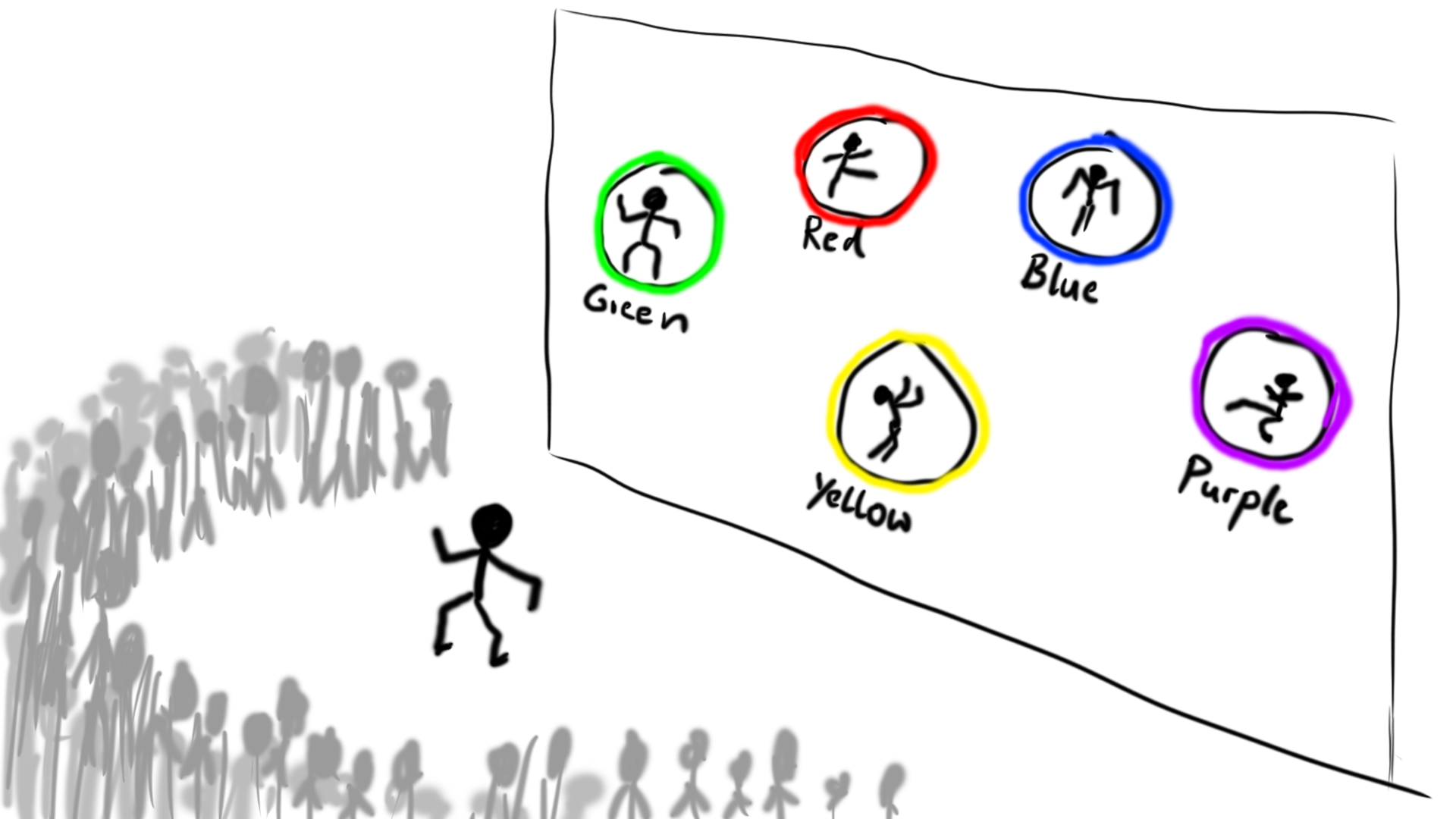
The projection shows several poses, each tied to a color. When the user imitates a pose, a progress ring fills around it and then switches the color. Poses and colors are reshuffled after every selection, so a quick sequence turns into a rhythmic pose dance accompanied by changing light.
Tug of War
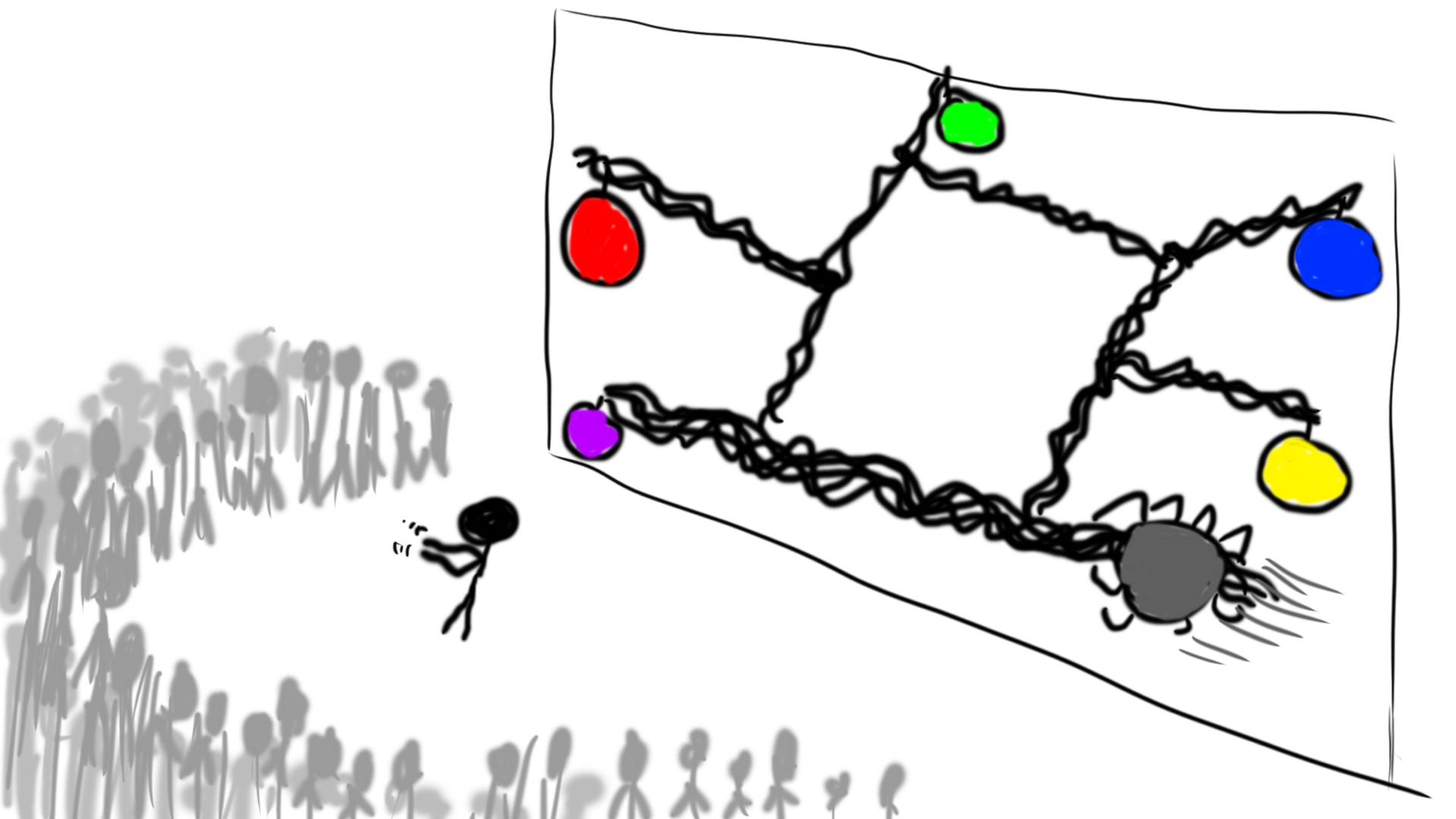
The user stands in a coarse net of ropes and grabs one of them. By pulling in jerky motions, horizontally or vertically, they drag the whole net across the screen until their hands reach one of the colored balls, which then gets absorbed.
Archery
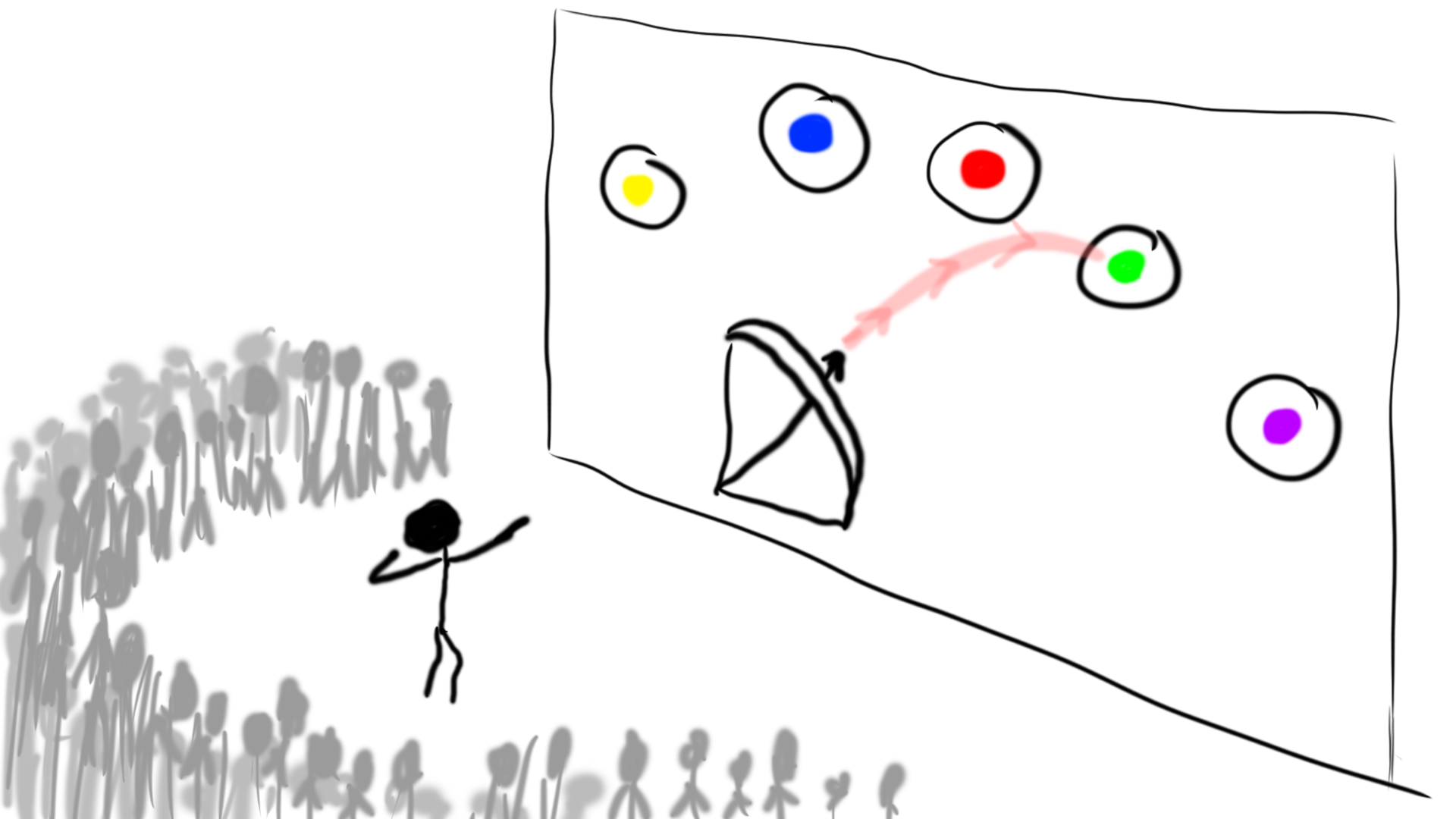
A bow and quiver sit at the bottom of the projection. Reaching out an arm picks up the bow, and reaching for an arrow with the other hand draws it, revealing the arc of the shot. The distance between the hands controls the draw strength, so aiming at the colored targets takes precision.
Flap Wings
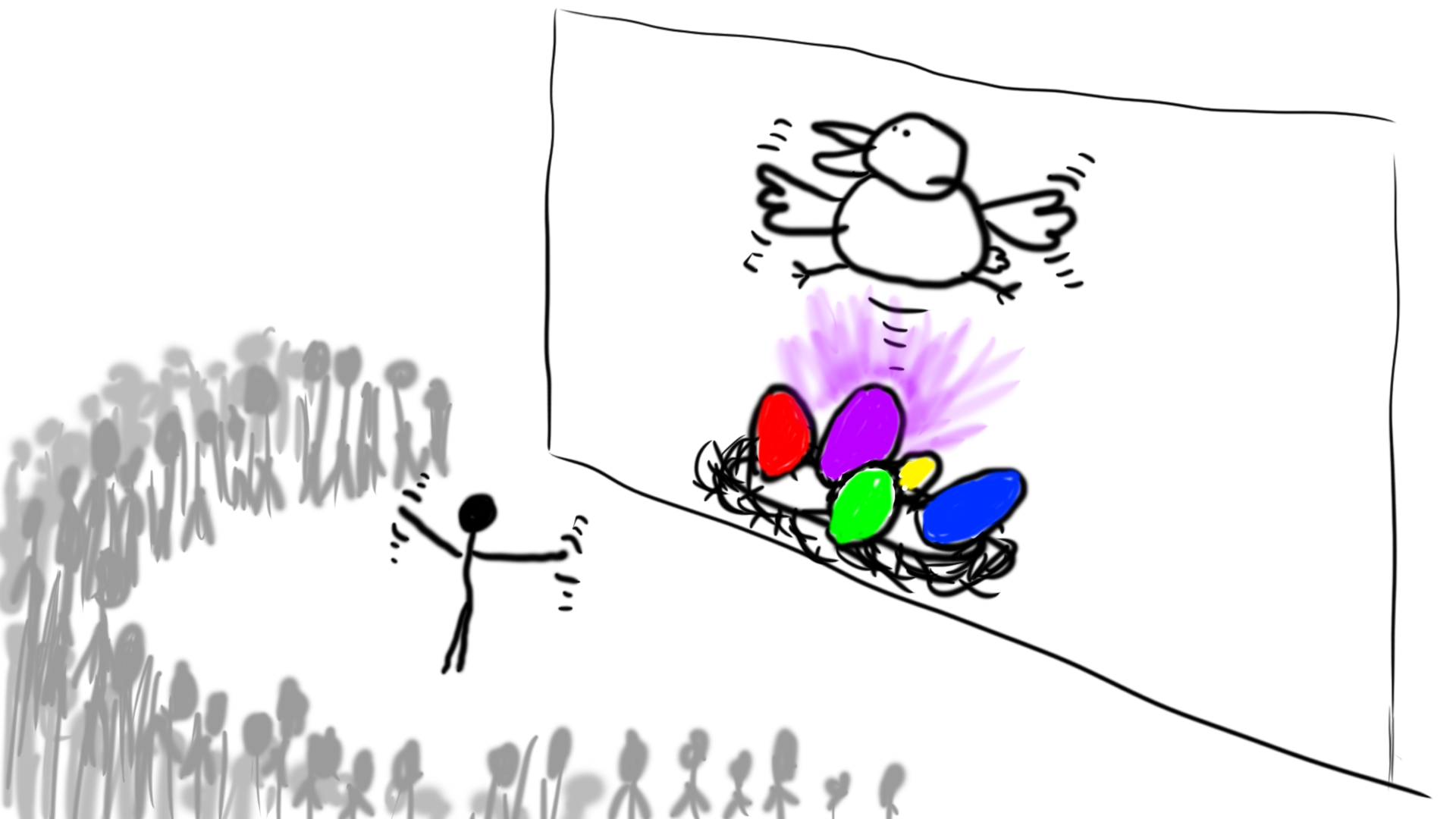
A big bird sits on a nest in the middle of the projection and mimics the user’s outstretched arms. Flapping makes it take off, and depending on its altitude a different egg in the nest lights up. When the user stops flapping, the bird sinks back down and the glowing egg is selected.
Pick Apples
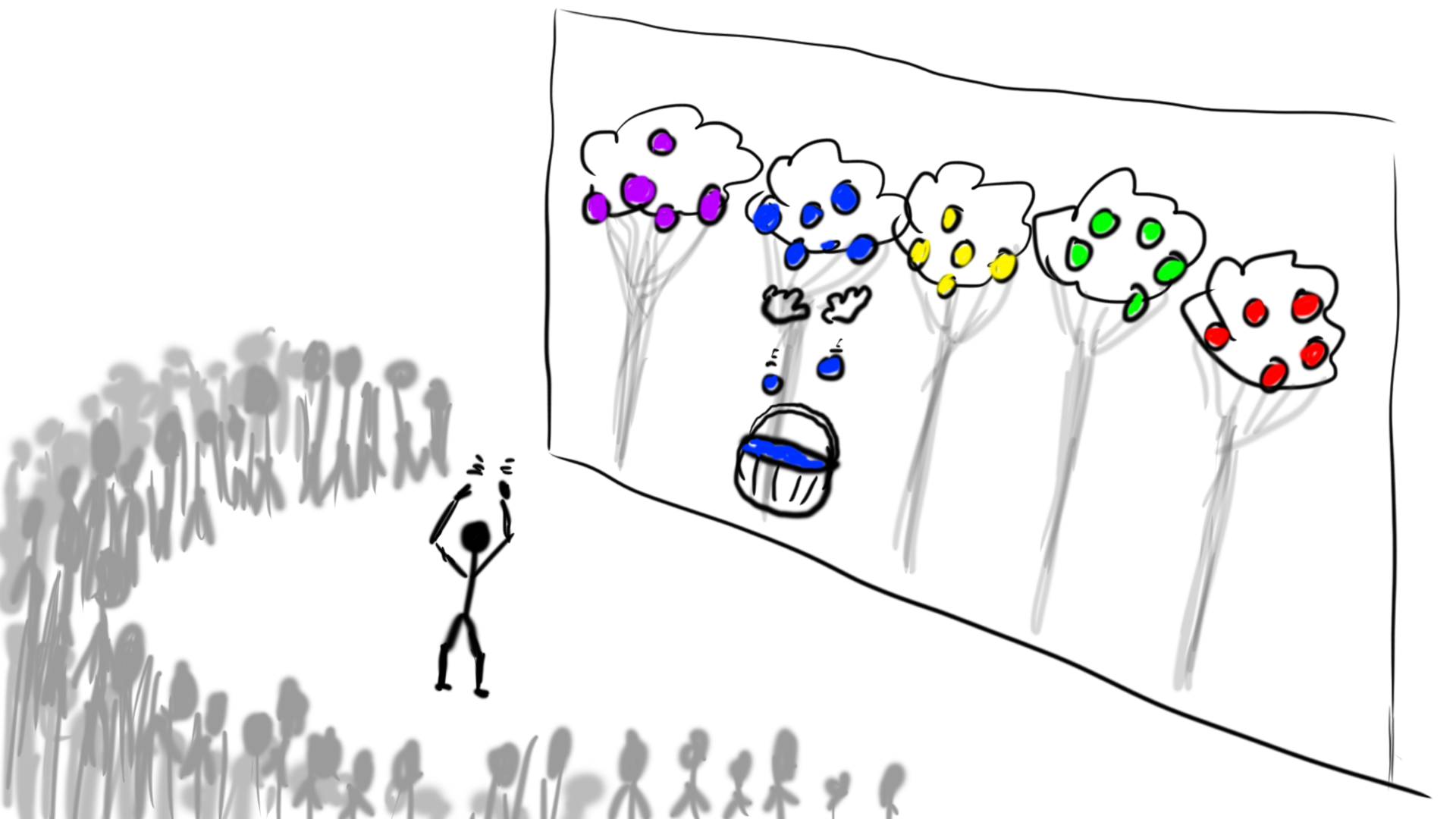
The user’s tracked hands are shown as floating model hands, with a basket below them. Colored, glowing fruits hang in the trees in the background. Reaching up and grabbing makes the fruits fall into the basket, and the fallen fruits make up the selection.
Bouncing Ball
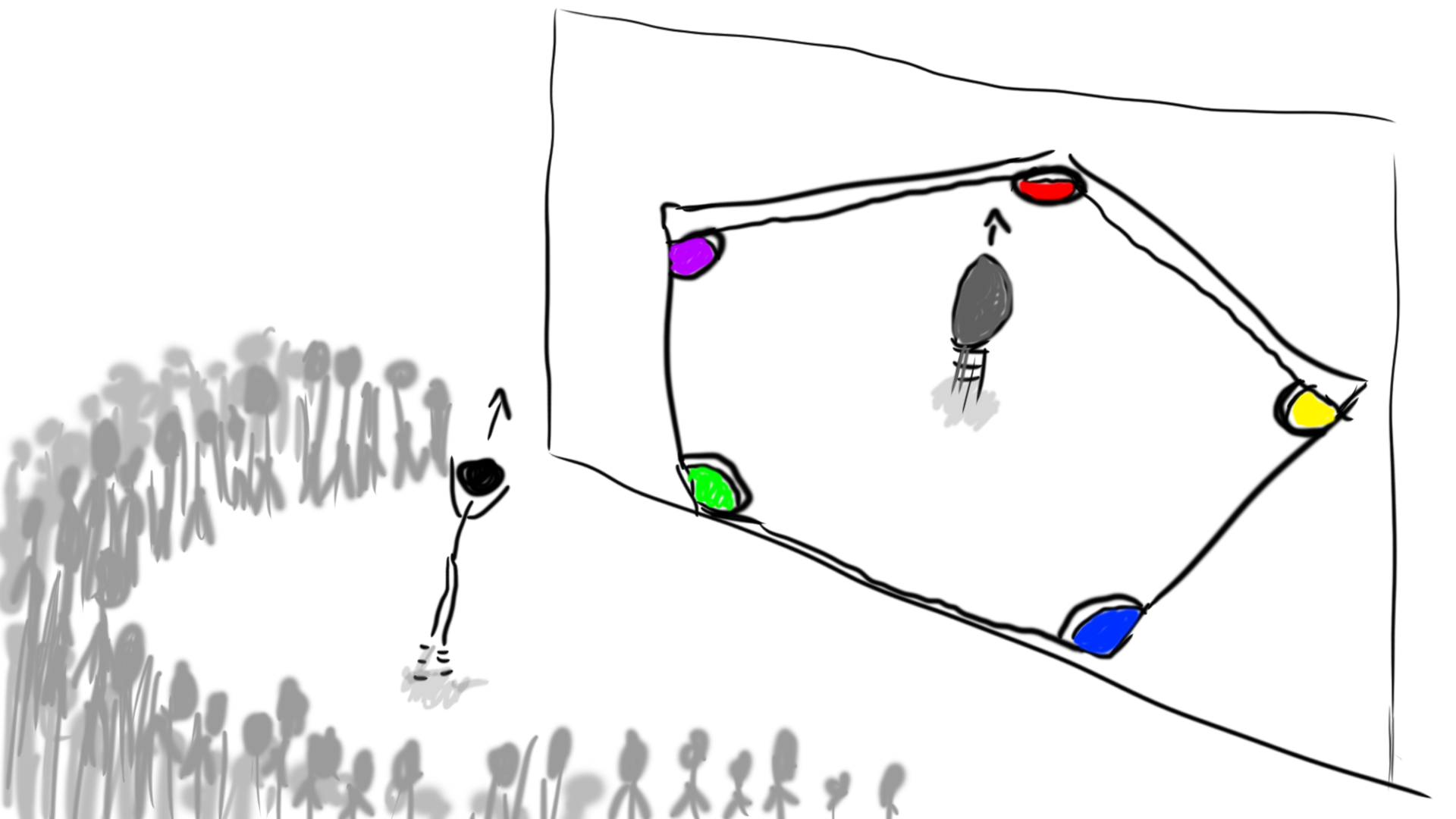
A ball sits in the middle of a three-dimensional field with glowing, colored holes in its corners. It only bounces along in the same rhythm once the user starts jumping, and it stops as soon as the user does. To steer it into one of the holes, the user has to keep moving.
Paper Plane
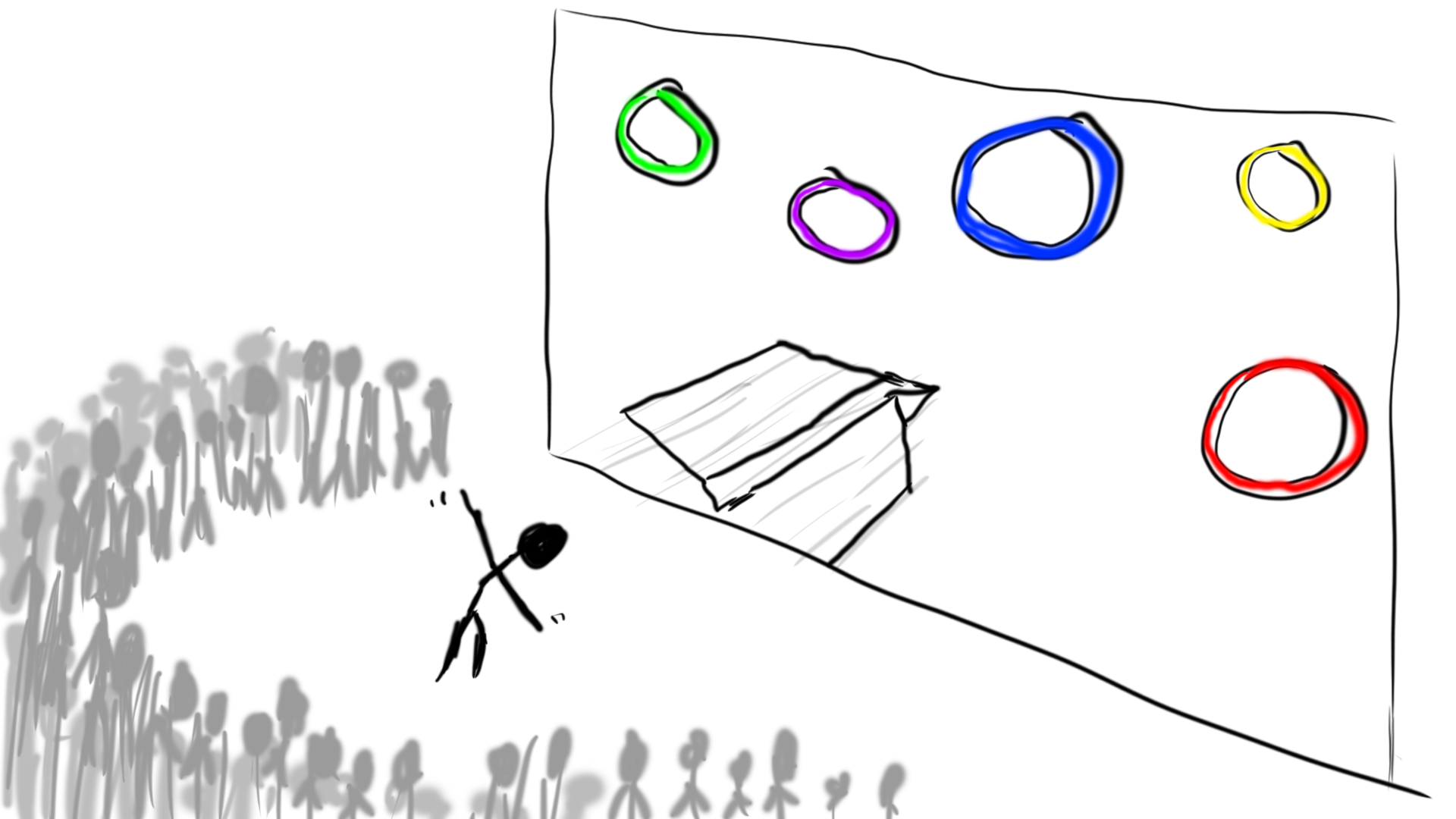
A large paper plane hangs in the projection as if the user were holding it. After a throwing gesture, it takes off and the view switches to third person. With outstretched arms, the user steers the plane by leaning, turning and stepping sideways, and flying through one of the colored rings makes the selection.
Step Aerobics
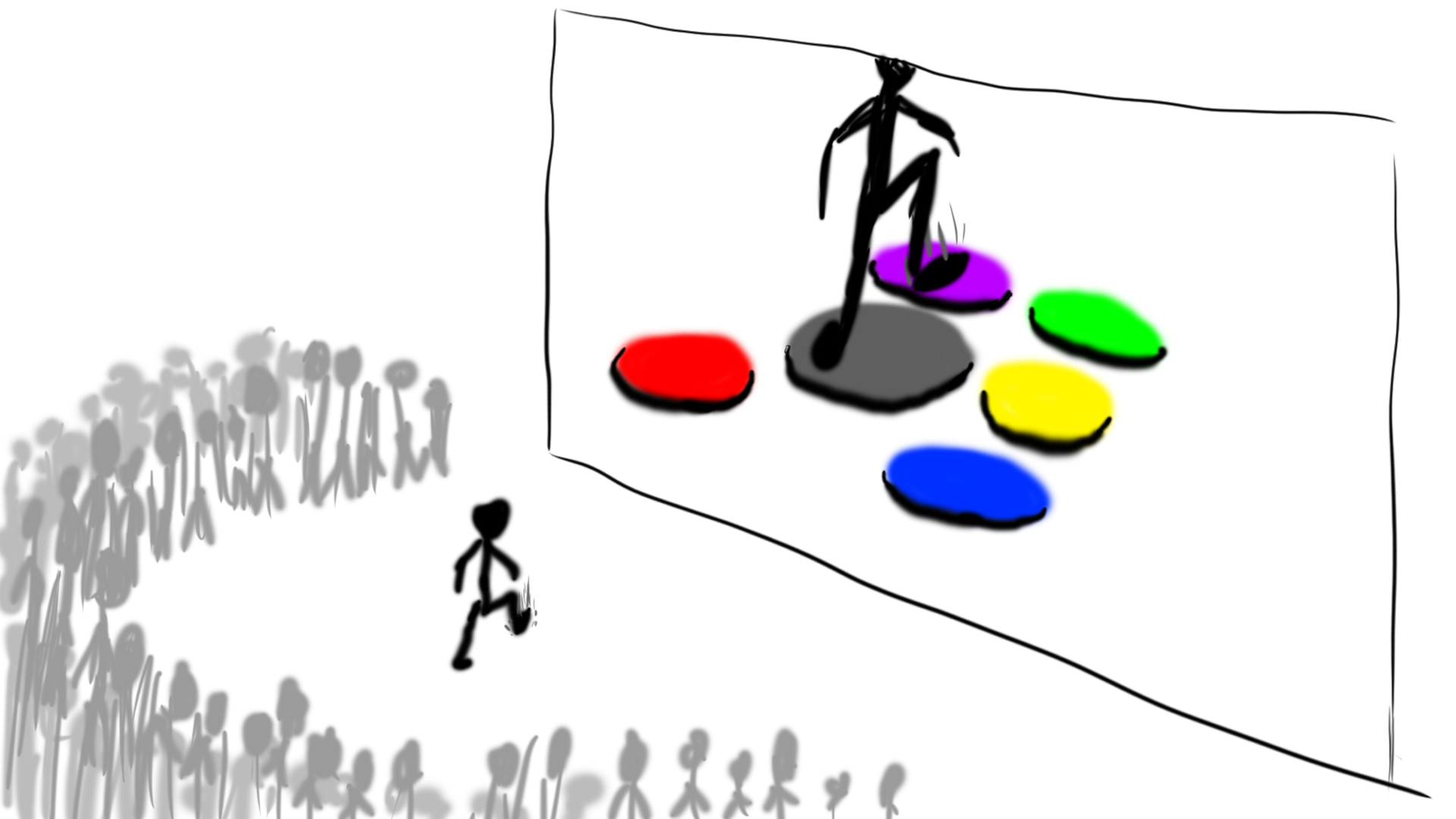
The user sees an avatar surrounded by colored fields on the projection, and their legs are mapped directly to the figure. Stomping on a field selects it, and it lights up and affects the environment. The fields change rhythmically, which is meant to lead to a tap dance or aerobics-like routine.
Evaluation
After testing all prototypes, each participant rated every gesture on a scale from 0 to 5 in a questionnaire. Afterwards, I conducted individual interviews. The table shows the average ratings. Note that for Fatigue, a higher value means more tiring.
| Activity | Learnability | Precision | Fun as Performer | Fun as Spectator | Fatigue | Subjective Rating |
|---|---|---|---|---|---|---|
| Dance Poses | 3 | 3.25 | 4.75 | 5 | 4.75 | 4 |
| Tug of War | 3.75 | 4 | 3 | 3.75 | 1.25 | 3.75 |
| Archery | 5 | 3.75 | 4.75 | 4.5 | 1.5 | 4.5 |
| Flapping Wings | 4.5 | 4.5 | 4.5 | 4.5 | 4 | 4.5 |
| Picking Apples | 4.5 | 4.5 | 4.25 | 4.5 | 2.5 | 4.5 |
| Rubber Ball | 4.25 | 4 | 4.25 | 4.75 | 3.5 | 3.5 |
| Paper Airplane | 4.5 | 4.25 | 4 | 3 | 1.5 | 4 |
| Tap Dancing | 3.5 | 3.75 | 3 | 2.75 | 3 | 2.75 |
With only four participants (one had to drop out due to illness) and an indoor setup instead of the real façade, these numbers are no proof, but they point in a clear direction. Gestures that were fun for the performer were usually also fun to watch, and strenuous ones were popular with spectators. In the interviews, much of the fun came from a kind of harmless “Schadenfreude”: the more the performer sweats, flails and struggles, the more the audience enjoys it. Dance Poses and Flapping Wings were the spectator favorites and still got laughs after repeated viewing. At the same time, the interaction must not frustrate the performer. Simple, direct gestures performed best, with Archery being the easiest to understand thanks to its clear mapping. Physically demanding gestures should demand as little mental effort as possible.
The quantitative data made it easy to spot major flaws. Dance Poses and Stepping were hard to interpret, and in Stepping the built-in beat was confusing. It should be slowed down or removed so users can set their own rhythm. The Bouncing Ball also needs to hint more clearly that the user is supposed to jump. Interestingly, two testers mistook the selection for a competitive game and looked for a way to score (non-existent) points.
The tests showed that the techniques are heading in the right direction. The next steps would be to rework the weaker prototypes, extend the stronger ones and improve the mappings across the board. After a few more cycles, the most successful designs could become hi-fi prototypes with real tracking.